

Case Study: Automated Open Box Email Campaign
Discover an automated email campaign that will delight your customers and your bottom line.


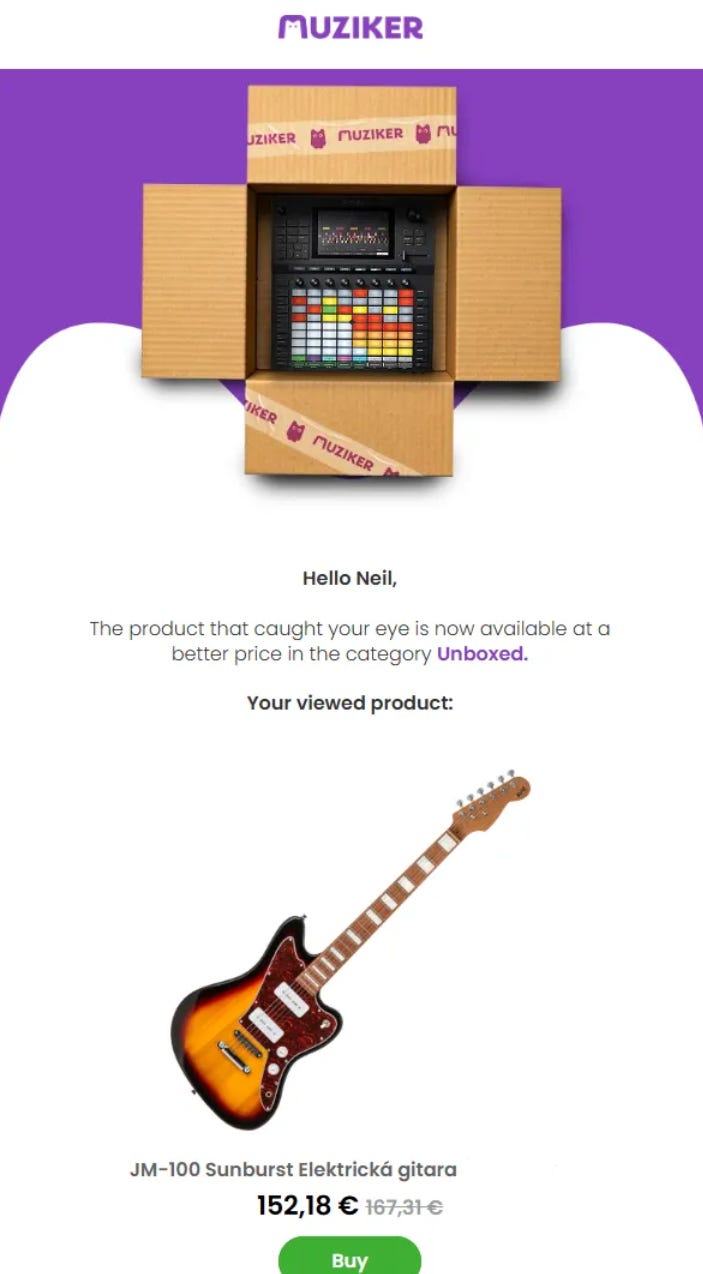
I’d been eyeing that electric guitar for weeks. It was exactly what I wanted, but the price gave me pause, so it lingered in my cart and eventually slipped from my mind. Then, a few weeks later, I got an email that immediately grabbed my attention: the same model was now available as an open-box product. A lightly handled, fully functional, and discounted electric guitar peered at me curiously from the email.
Suddenly, what had been a “maybe someday” purchase became an easy, immediate yes. The reminder was timely, the offer felt relevant, and the deal made sense.
For e-commerce brands, this is the kind of automation that turns window-shoppers into customers. An open-box automated email campaign doesn’t just fill the inbox with another marketing message - it is a genuine alert for a time-limited opportunity the customer had no other way of knowing about.
At Datacop, we tested this idea with one of our clients - Muziker. Founded in 2003, Muziker’s extensive catalogue is tailored to musicians and content creators of all levels, focusing on supporting creativity and performance through quality gear and expert service. Muziker also operates one of the largest vinyl record catalogs in e-commerce. They deliver to 35 countries and operate 7 physical showrooms in Czechia and Slovakia.
In this article, we will share the results of the automated open box campaign, discuss data and business prerequisites, and explain how the use-case works in Bloomreach Engagement Scenarios.
Results
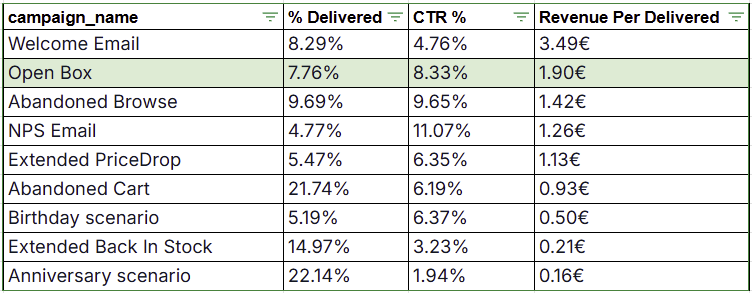
The evaluation period included more than 40,000 delivered emails from the Open Box campaign, representing approx. 7.8% of all emails delivered during the evaluation. The campaign was compared with a selection of 8 other automated campaigns during the same period.
The performance was the Open Box was unexpectedly strong.
The campaign was the second-best-performing Revenue per Email Delivered email campaign, only after the welcome email. It also had a strong click-through rate of roughly 8.3%. Overall, it was in the Top 3 revenue-generating automated email campaigns during the evaluation period. Although the campaign does not trigger as often as others, such as Abandoned Cart, it engages customers better.
Data Prerequisites
There are a few prerequisites to consider before implementing the Automated Open Box Email Campaign.
First, the Product Catalog needs to be updated with Open Box products as they “arrive”. Ideally, this update occurs daily.
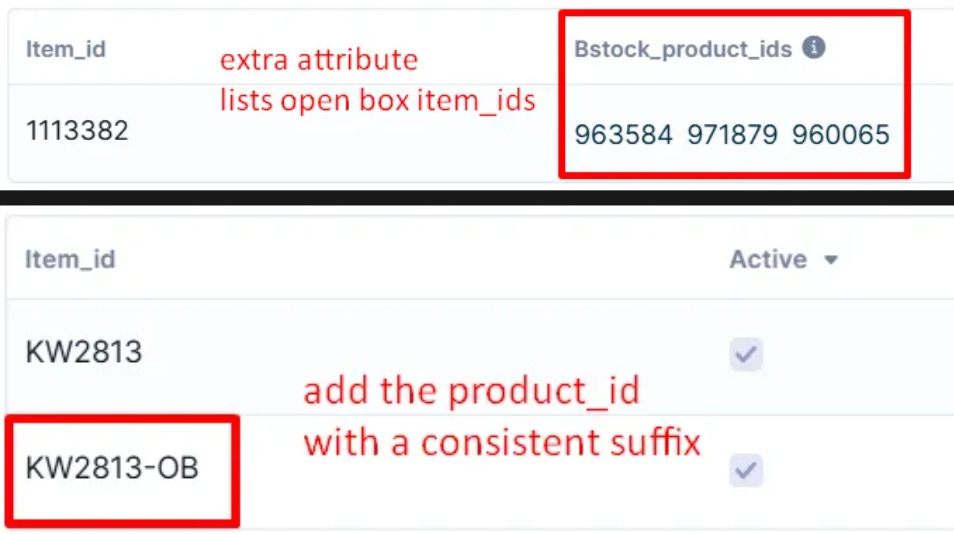
Secondly, each Product_id has to have a way to establish a relationship with the Open Box Item_ids. The method by which the relationship between the IDs is established can differ between projects.
We recommend two options. One way is to feed an extra attribute into the catalog feed. This extra attribute would list the open box IDs of the “unopened” full price version of the product. Another way to establish the relationship is to retain the same product_id as the “unopened” item and a add “-OB” suffix to each id at the end.
Either way, it is important that a relationship between the “open box” version and the full price unopened version of the product can be established
Both methods are shown as examples from product catalogs on the screenshot below
Thirdly, the following business decisions need to be taken before implementing the scenario:
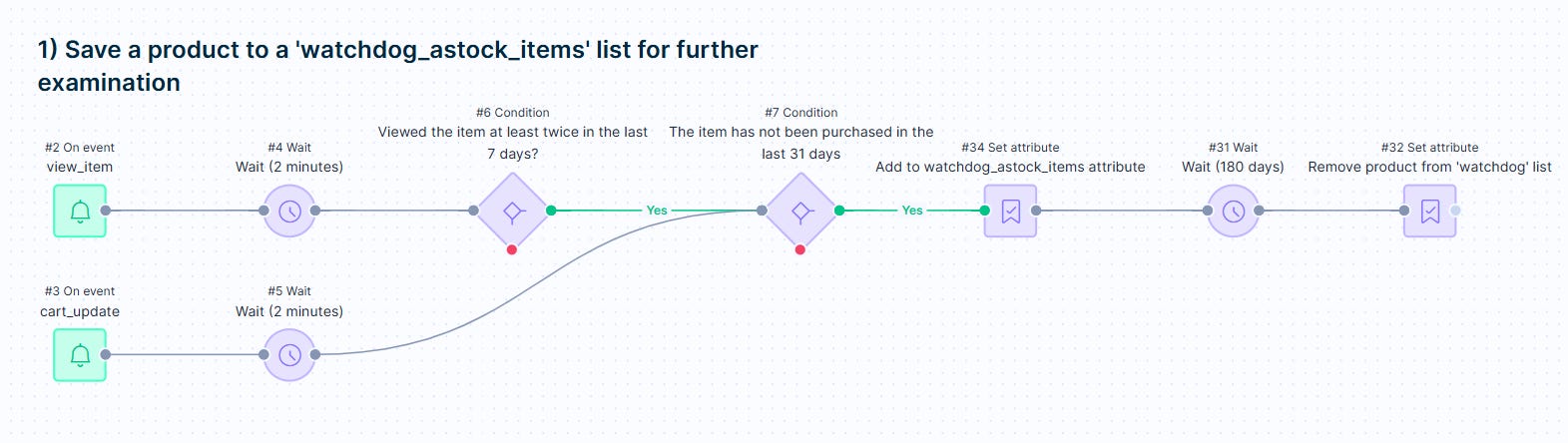
What does it mean for a customer to “express interest in a product”? - Typically, when a customer views a product at least twice within 7 days or adds it to cart.
When does a customer “naturally lose” interest in a product? - Usually, this is somewhere between 90-180 days, depending on the e-commerce vertical and type of product.
Implementation
There are three main steps to the logic of the Open Box Automated email.
The first step is creating a list of product_ids for each profile, based on their expressed interest. Achieved via jinja and a set attribute node, this step makes sure to assign product_ids that customers express interest in (#34). This list is crucial for the next two steps.
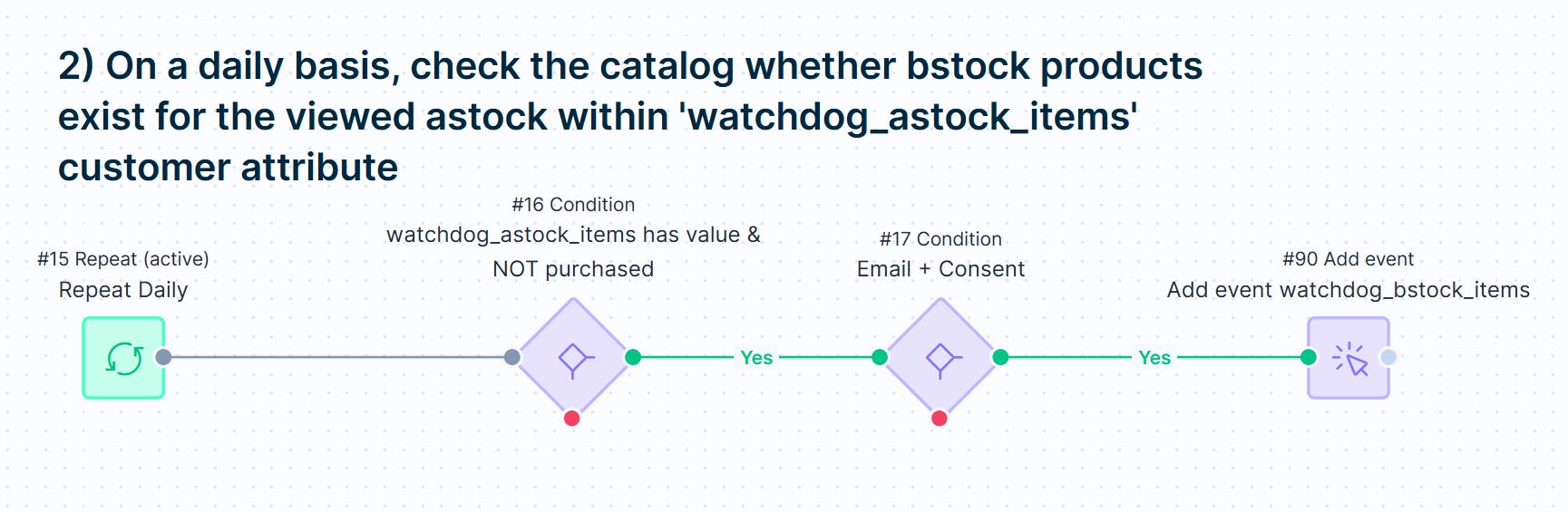
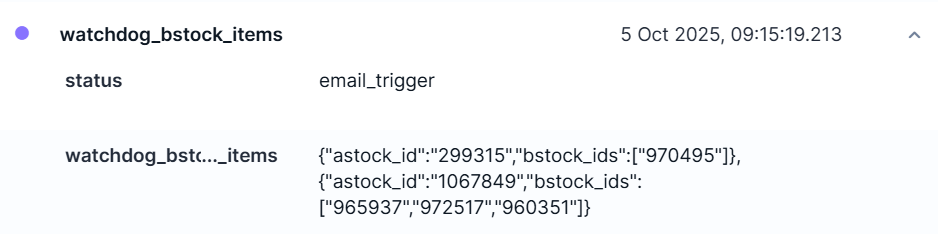
The second step is to check daily if any of the products on the “list of products customers expressed interest in” have a corresponding Open Box product that was added to the catalogue! If yes, the scenario generates a trigger event for that customer (#90). The trigger event should contain a list of the Open Box product_ids that are to be displayed in the email itself.
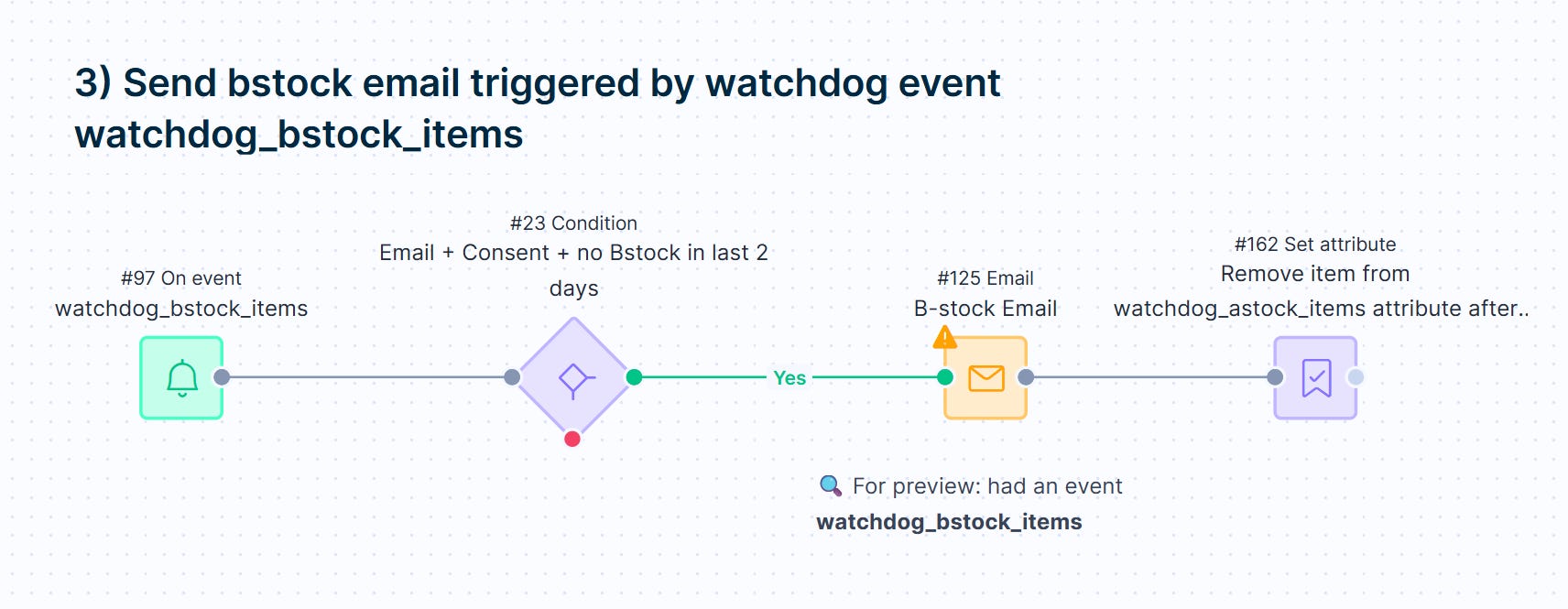
The trigger event sends the Open Box Email (#125). Once the email is delivered, remove the IDs in the email from the customer’s list of “a-stock” product_ids.
If you found this post useful…
I hope you found this content helpful and insightful. If you enjoyed it, don’t miss out on future articles and subscribe for free and have our latest content delivered straight into your inbox.
If you’d like to discuss any aspect of eCommerce technical marketing with us or explore potential collaboration, feel free to schedule a meeting using the link below.